第一步:安装好要用的编辑器
我这里用的是Sublime Text
我自己看的学习视频 HTML学习视频。
第二步:新建HTML文件
在用Sublime Text编写html文件时会自动补全.
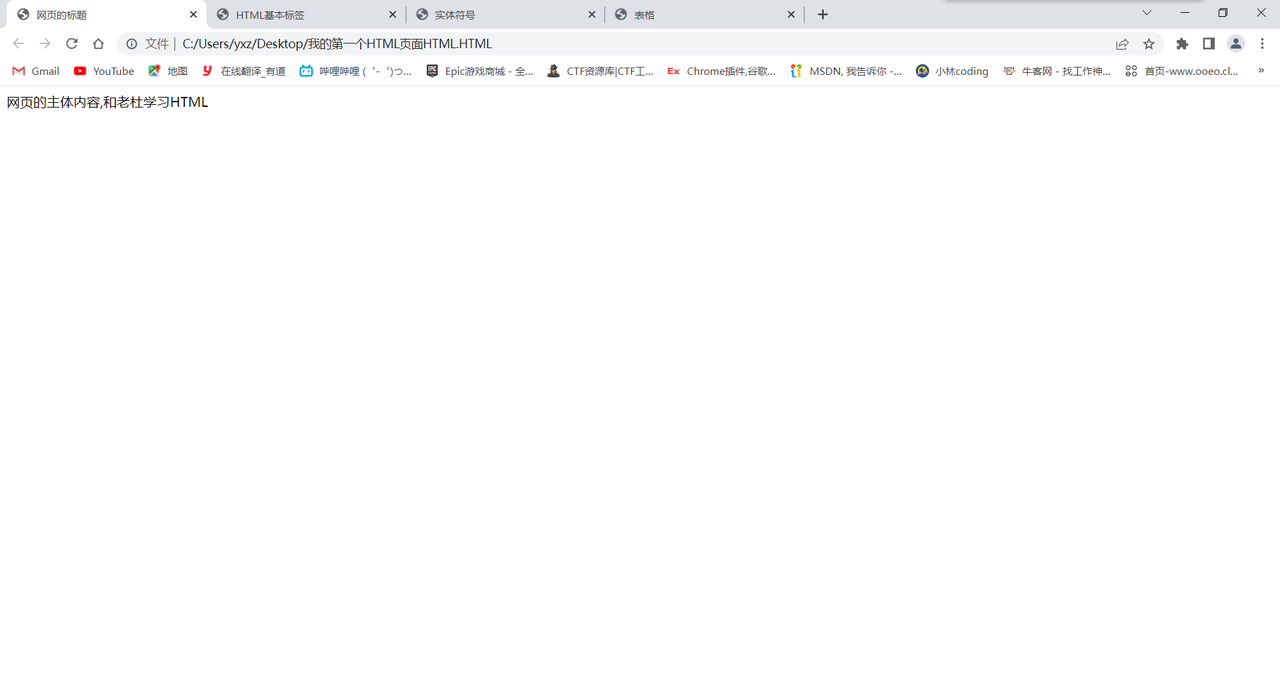
我的第一个HTML
<!doctype html>
<html>
<head>
<title>网页的标题</title>
</head>
<body>
网页的主体内容,和老杜学习HTML
</body>
</html>
|
基本标签
<!DOCTYPE html>
<html>
<head>
<meta charset="utf-8">
<meta name="viewport" content="width=device-width, initial-scale=1">
<title>HTML基本标签</title>
</head>
<body>
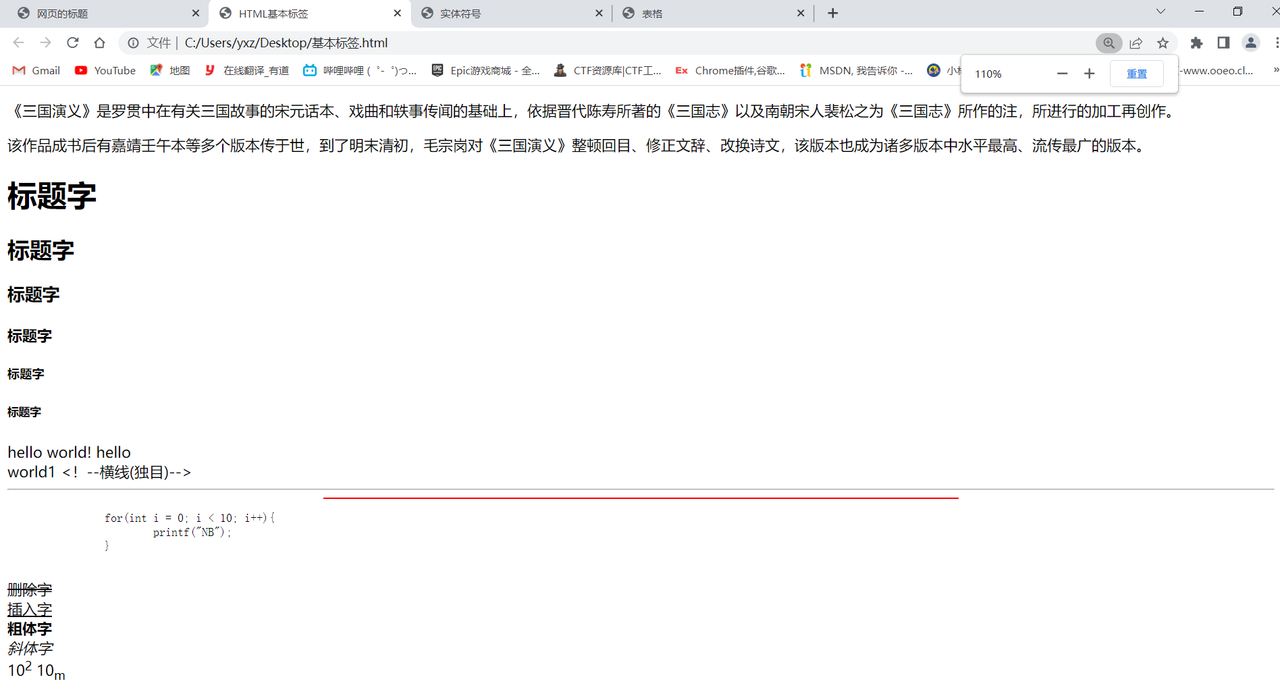
<p>《三国演义》是罗贯中在有关三国故事的宋元话本、戏曲和轶事传闻的基础上,依据晋代陈寿所著的《三国志》以及南朝宋人裴松之为《三国志》所作的注,所进行的加工再创作。</p><p>该作品成书后有嘉靖壬午本等多个版本传于世,到了明末清初,毛宗岗对《三国演义》整顿回目、修正文辞、改换诗文,该版本也成为诸多版本中水平最高、流传最广的版本。</p>
<h1>标题字</h1>
<h2>标题字</h2>
<h3>标题字</h3>
<h4>标题字</h4>
<h5>标题字</h5>
<h6>标题字</h6>
hello
world!
hello<br> world1
<!--横线(独目)-->
<hr>
<hr color="red" width="50%">
<pre>
for(int i = 0; i < 10; i++){
printf("NB");
}
</pre>
<del>删除字</del><br>
<ins>插入字</ins><br>
<b>粗体字</b><br>
<i>斜体字</i><br>
10<sup>2</sup>
10<sub>m</sub><br>
<font color="red" size="59">字体标签</font>
</body>
</html>
|
实体符号
<!DOCTYPE html>
<html>
<head>
<meta charset="utf-8">
<meta name="viewport" content="width=device-width, initial-scale=1">
<title>实体符号</title>
</head>
<body>
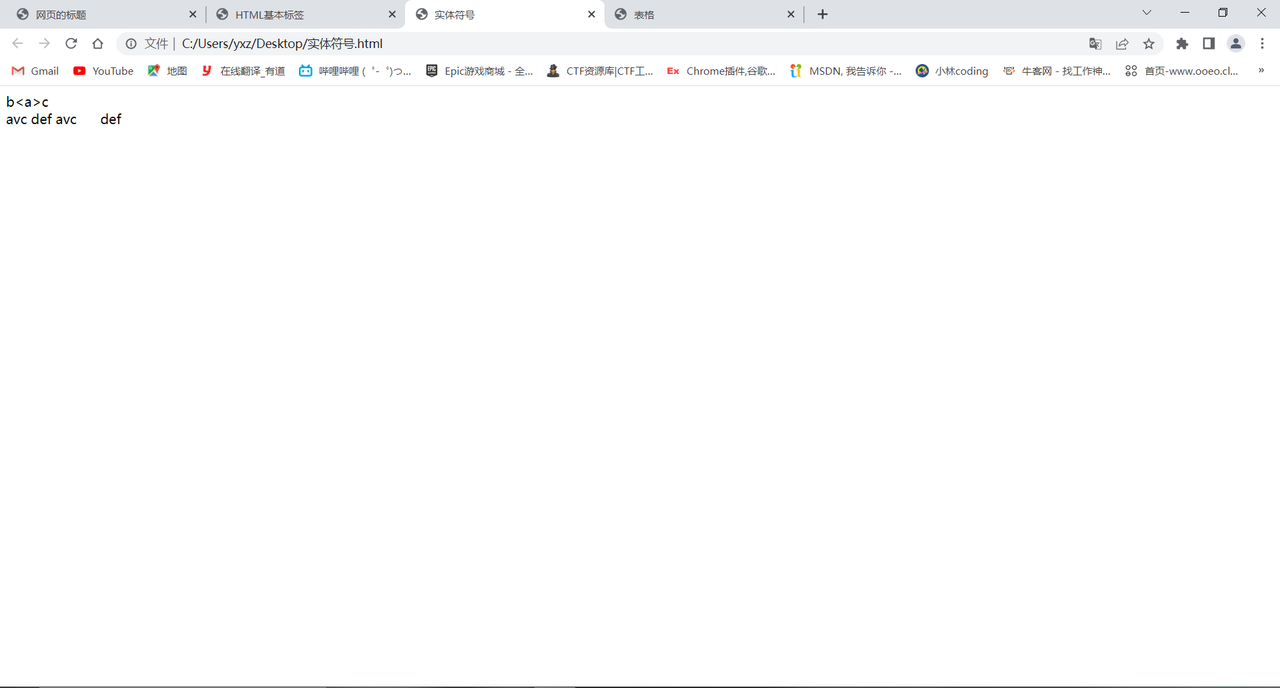
b<a>c<br>
avc def<br>
avc def
</body>
</html>
|
表格
<!DOCTYPE html>
<html>
<head>
<meta charset="utf-8">
<meta name="viewport" content="width=device-width, initial-scale=1">
<title>表格</title>
</head>
<body>
<br><br>
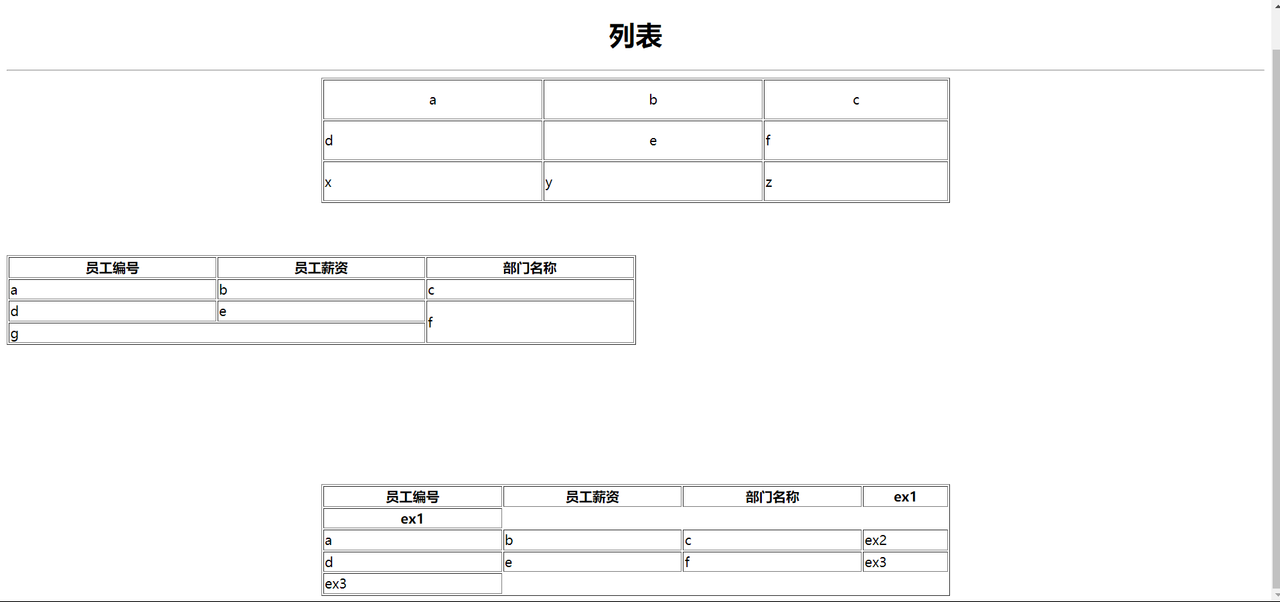
<center><h1>列表</h1></center>
<hr>
<table align="center" border="1px" width="50%" height="150px">
<tr align="center">
<td>a</td>
<td>b</td>
<td>c</td>
</tr>
<tr>
<td>d</td>
<td align="center">e</td>
<td>f</td>
</tr>
<tr>
<td>x</td>
<td>y</td>
<td>z</td>
</tr>
</table>
<br><br><br>
<table border="1px" width="50%">
<tr>
<th>员工编号 </th>
<th>员工薪资</th>
<th>部门名称</th>
</tr>
<tr>
<td>a</td>
<td>b</td>
<td>c</td>
</tr>
<tr>
<td>d</td>
<td>e</td>
<td rowspan="2">f</td>
</tr>
<tr>
<td colspan="2">g</td>
</tr>
</table>
<br><br><br><br><br><br><br><br>
<table align="center" border="1px" width="50%">
<thead>
<tr>
<th>员工编号 </th>
<th>员工薪资</th>
<th>部门名称</th>
<th>ex1</th>
</tr>
<tr>
<th>ex1</th>
</tr>
</thead>
<tbody>
<tr>
<td>a</td>
<td>b</td>
<td>c</td>
<td>ex2</td>
</tr>
</tbody>
<tfoot>
<tr>
<td>d</td>
<td>e</td>
<td>f</td>
<td>ex3</td>
</tr>
<tr>
<td>ex3</td>
</tr>
</tfoot>
</table>
</body>
</html>
|
背景色背景图和图片
<!DOCTYPE html>
<html>
<head>
<meta charset="utf-8">
<meta name="viewport" content="width=device-width, initial-scale=1">
<title>背景颜色和背景图片</title>
</head>
<body bgcolor="red" background="E:\壁纸\测试.png">
<img src="E:\壁纸\b.png" width="100px" title="帕瓦" alt="图片找不到了!" />
</body>
</html>
|

超链接
<!DOCTYPE html>
<html>
<head>
<meta charset="utf-8">
<meta name="viewport" content="width=device-width, initial-scale=1">
<title>超链接,热链接</title>
</head>
<body>
<a href="https://youzipii.github.io">博客</a>
<br><br>
<a href="file:///C:/Users/yxz/Desktop/%E8%83%8C%E6%99%AF%E9%A2%9C%E8%89%B2%E8%83%8C%E6%99%AF%E5%9B%BE%E7%89%87.html">超链接 </a>
<a href="https://youzipii.github.io/"><img src="E:\壁纸\b.png" width="100px"> </a>
<br>
<a href="https://youzipii.github.io" target="_blank">博客</a>
</body>
</html>
|
列表
<!DOCTYPE html>
<html>
<head>
<meta charset="utf-8">
<meta name="viewport" content="width=device-width, initial-scale=1">
<title>列表</title>
</head>
<body>
<ol type="a">
<li>水果
<ol>
<li>apple1</li>
<li>apple2</li>
<li>apple3</li>
</ol>
</li>
<li>蔬菜</li>
<li>甜点</li>
</ol>
<ul type="circle">
<li>apple
<ul>
<li>apple 3</li>
<li>apple 2</li>
<li>apple 1</li>
</ul>
</li>
<li>banana</li>
<li>grape</li>
</ul>
</body>
</html>
|
表单
<!DOCTYPE html>
<html>
<head>
<meta charset="utf-8">
<meta name="viewport" content="width=device-width, initial-scale=1">
<title>表单form</title>
</head>
<body>
<form action="http://192.199.177:8080/oa/save">
<input type="submit" value="注册" />
<input type="button" value="设置按钮上得文本" />
</form>
<form action="http://www.baidu.com">
<input type="text" name="" />
<input type="submit" name="" value="百度" />
</form>
<br>
<form action="http:\\localhost:8080/jd/login">
用户名<input type="text" name="" /><br>
密码<input type="password" name="" /><br>
<input type="submit" name="" />
</form>
<br><br><br><br><br><br>
<form action="http:\\localhost:8080/jd/login">
<table>
<tr>
<td>用户名</td>
<td><input type="text" name="username" /></td>
</tr>
<tr>
<td>密码</td>
<td><input type="password" name="pwd" /></td>
</tr>
<tr>
<td align="center" colspan="2">
<input type="submit" name="" />
<input type="reset" name="" value="清空">
</td>
</tr>
</table>
</form>
</body>
</html>
|
用户注册表单
<!DOCTYPE html>
<html>
<head>
<meta charset="utf-8">
<meta name="viewport" content="width=device-width, initial-scale=1">
<title>用户注册表单</title>
</head>
<body>
<form accept="http://localhost:8080/jd/register" method="post">
用户名
<input type="text" name="username" />
<br>
密码
<input type="password" name="userpwd" />
<br>
确认密码
<input type="password" />
<br>
性别
<input type="radio" name="gender" value="1" checked />男
<input type="radio" name="gender" value="0" />女
<br>
兴趣爱好
<input type="checkbox" name="interest" value="basketball" />打篮球
<input type="checkbox" name="interest" value="football" checked />打足球
<input type="checkbox" name="interest" value="volleyball" />打排球
<br>
学历
<select name="grade">
<option value="gz">高中</option>
<option value="dz">大专</option>
<option value="bk" selected>本科</option>
<option value="ss">硕士</option>
</select>
<br>
简介
<textarea rows="10" cols="60" name="introduce"></textarea>
<br>
<input type="submit" value="注册" />
<input type="reset" value="清空" />
<br>
</form>
<a href="http://localhost:8080/jd/register?username=ctl&password=111">提交</a>
</body>
</html>
|

一些控件
<!DOCTYPE html>
<html>
<head>
<meta charset="utf-8">
<meta name="viewport" content="width=device-width, initial-scale=1">
<title>一些控件</title>
</head>
<body>
<select multiple="multiple" size="2">
<option>福建省</option>
<option>江西省</option>
<option>山东省</option>
<option>海南省</option>
<option>陕西省</option>
</select>
<input type="file" name="" />
<br>
<form action="http://localhost:8080/jd/save" method="post">
<input type="hidden" name="userid" value="111" />
<br>
<input type="text" name="userid" value="111" />
<br>
用户代码<input type="text" name="usercode" />
<input type="submit" name="" value="提交" />
</form>
<form action="http://localhost:8080/jd/save">
用户代码<input type="text" name="usercode" value="111"readonly />
<br>
用户姓名<input type="text" name="username" value="123" disabled />
<br>
<input type="submit" value="提交数据" />
<br>
<input type="text" name="" maxlength="3" />
<br>
</form>
<center><a href="https://smms.app/image/KYOs57H8RPvpTUaS" target="_blank"><img src="https://s2.loli.net/2023/03/05/KYO57H8RPvpTUaS.png" ></a></center>
<br>
<center><font color="red" size="50">DOM树</font></center>
<form id="myform">
<input type="text" id="username" name="username" />
<input type="password" id="userpwd" name="userpwd" />
</form>
</body>
</html>
|

div和span
<!DOCTYPE html>
<html>
<head>
<meta charset="utf-8">
<meta name="viewport" content="width=device-width, initial-scale=1">
<title>HTML中的div和span</title>
</head>
<body>
<div id="div1">我是一个div</div>
<div id="div2">我是一个div</div>
<span id="span1">我是一个span标签</span>
<span id="span2">我是一个span标签</span>
<div id="div3">
<div>
<div>test</div>
</div>
</div>
</body>
</html>
|

暂停于此